118 problems · 3 interview rounds · new papers daily
The interview platform built for AI Engineers.
Learn the concept on a whiteboard. Write real AI/ML code against real tests. Design production ML, LLM and agentic systems on a canvas. Then sit a mock interview that talks, listens and pushes back, all graded against a rubric written for that specific problem.
Dashboard
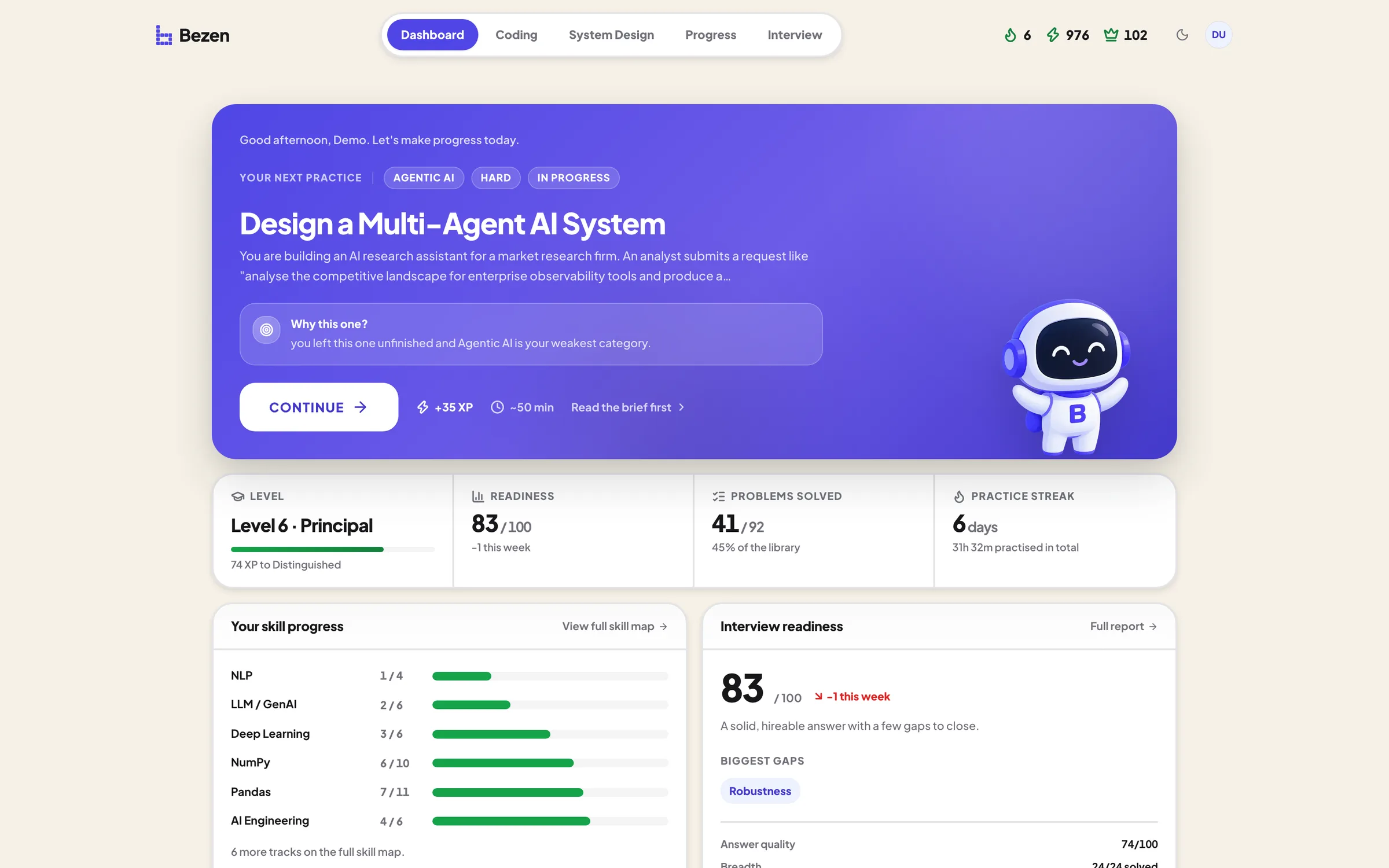
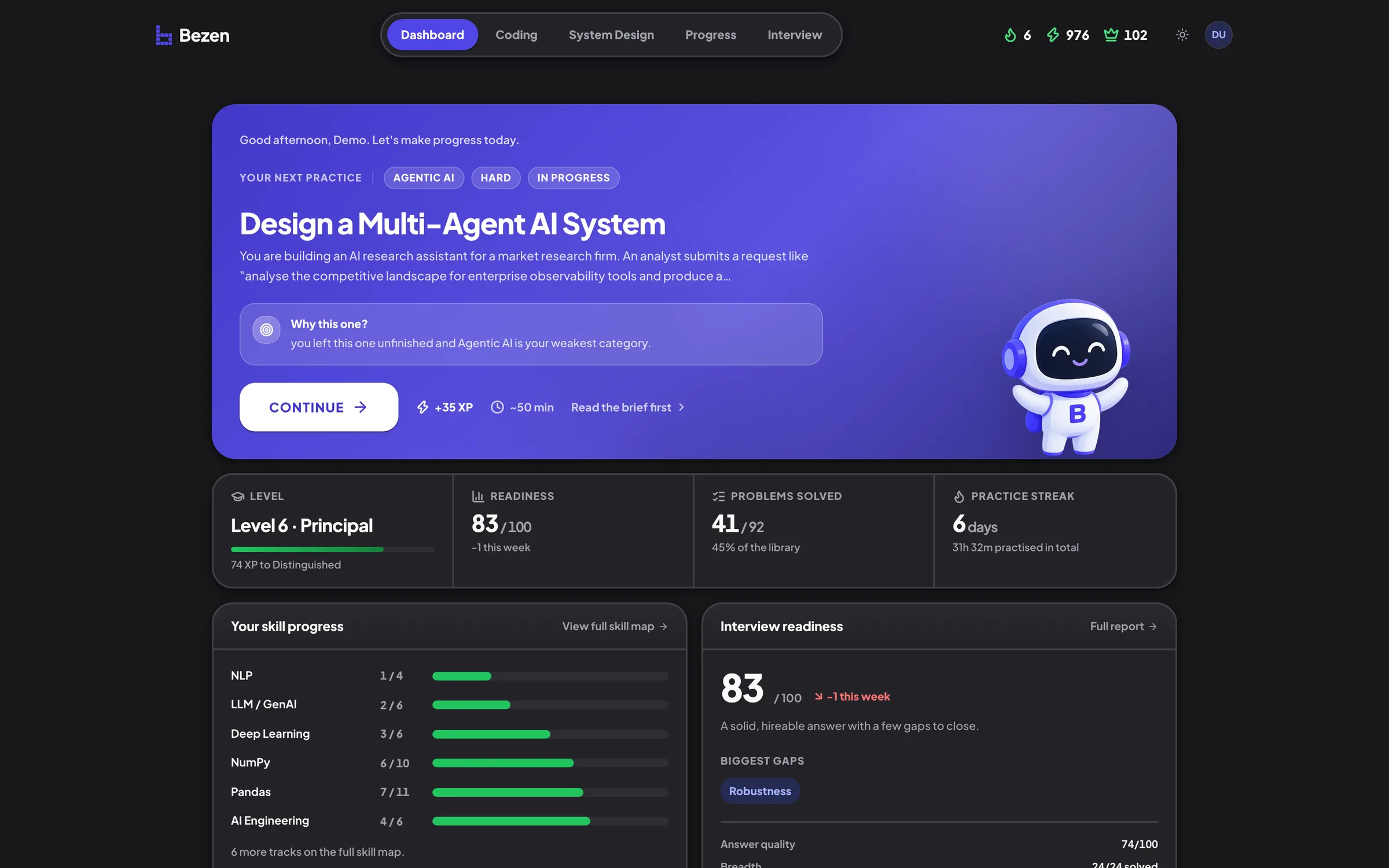
Know exactly what to practice next, and where you stand.
Problems modelled on interviews at
- OpenAI
- Anthropic
- Meta
- Amazon
- Netflix
- Stripe
Coding
Write the code, run the tests
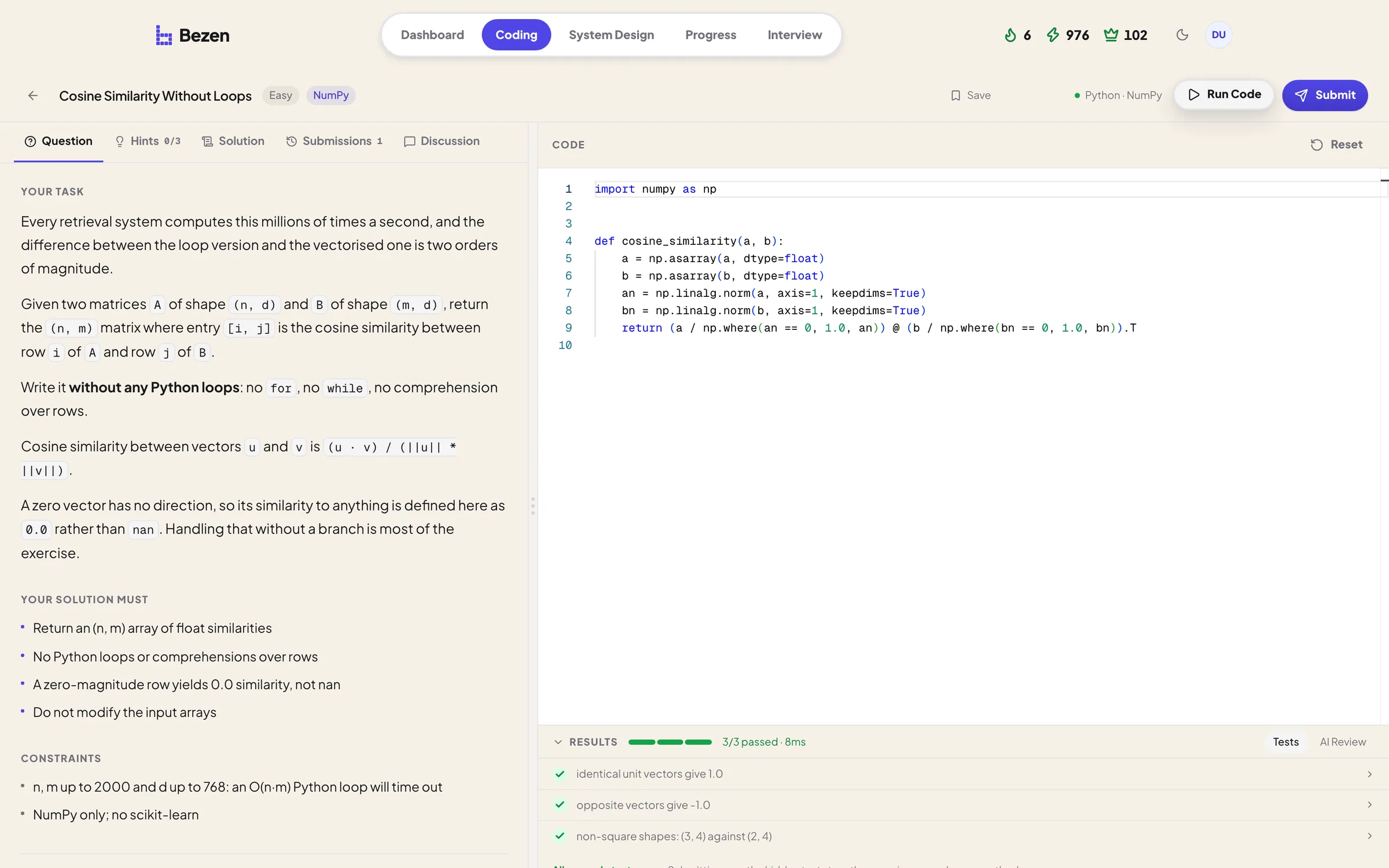
Python in your browser against visible and hidden tests, then a reviewer that reads your method, not just whether it passed.
- Vectorised NumPy, real DataFrame work, layers and gradients from scratch
- Chunkers, retrievers and rerankers written by hand
- Correctness scored from the actual test run, not guessed at
- Hints, a reference solution and a discussion thread beside every problem
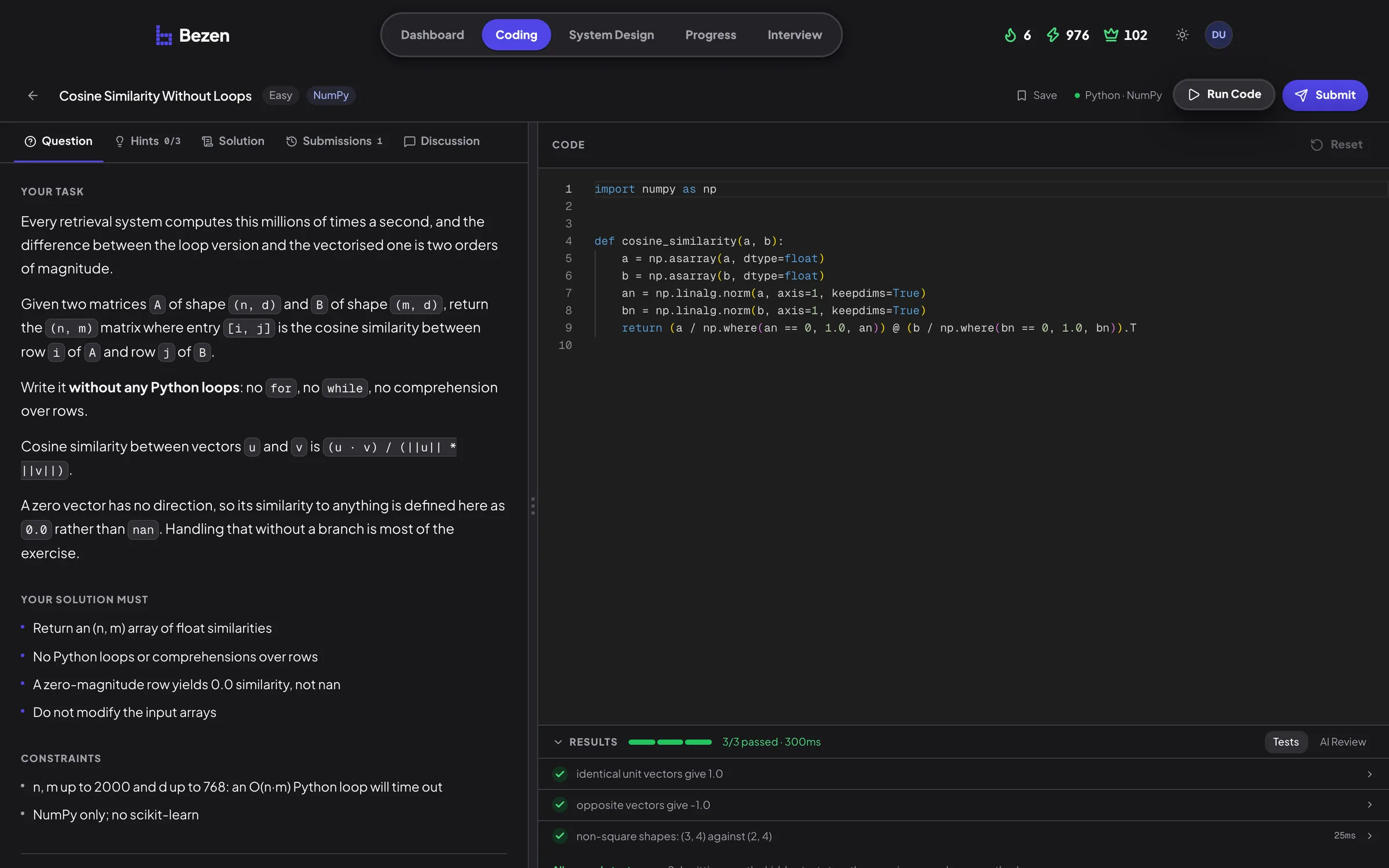
Coding arena
Real AI/ML code, run against real tests in your browser.
System Design
Build the architecture, defend it
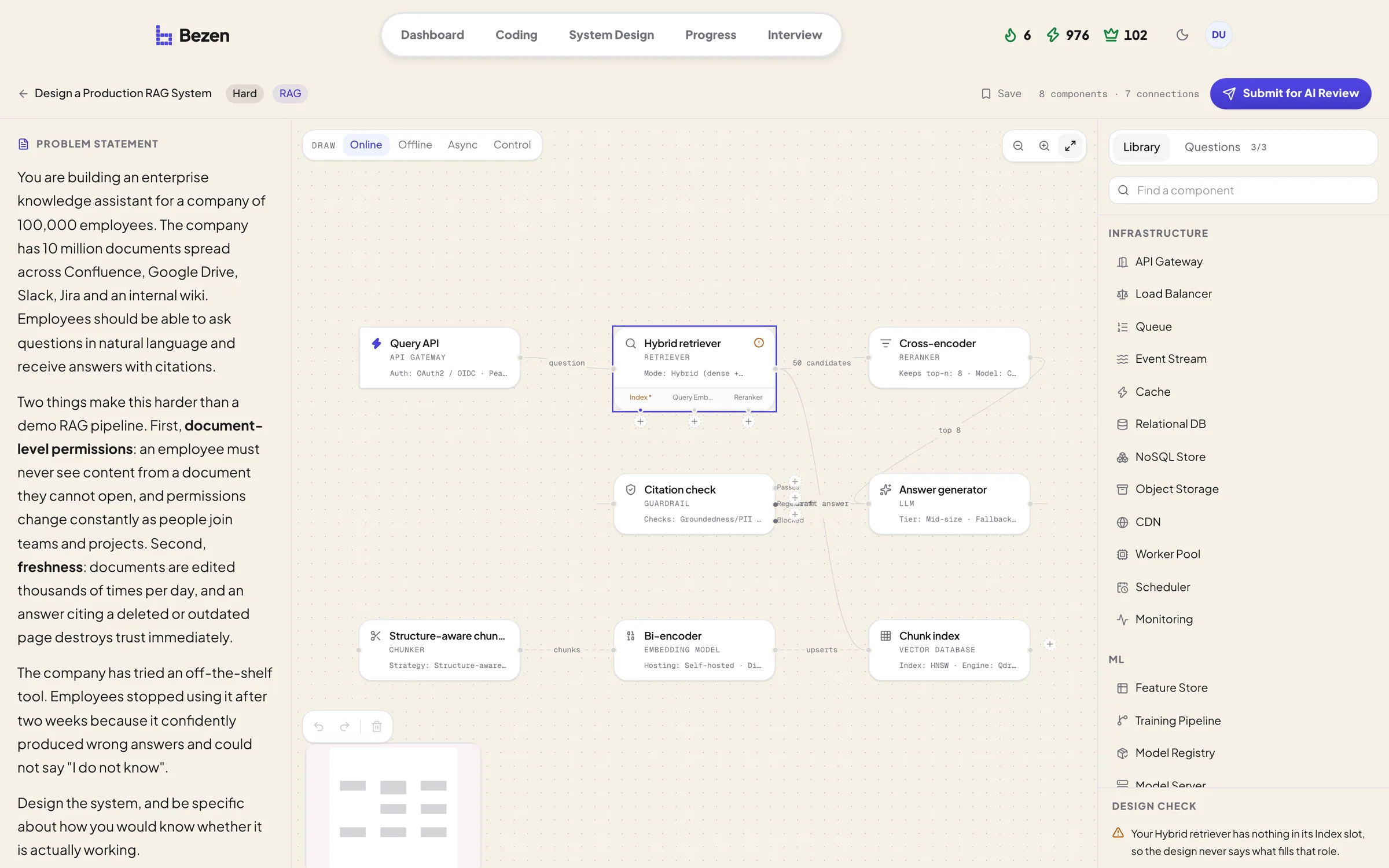
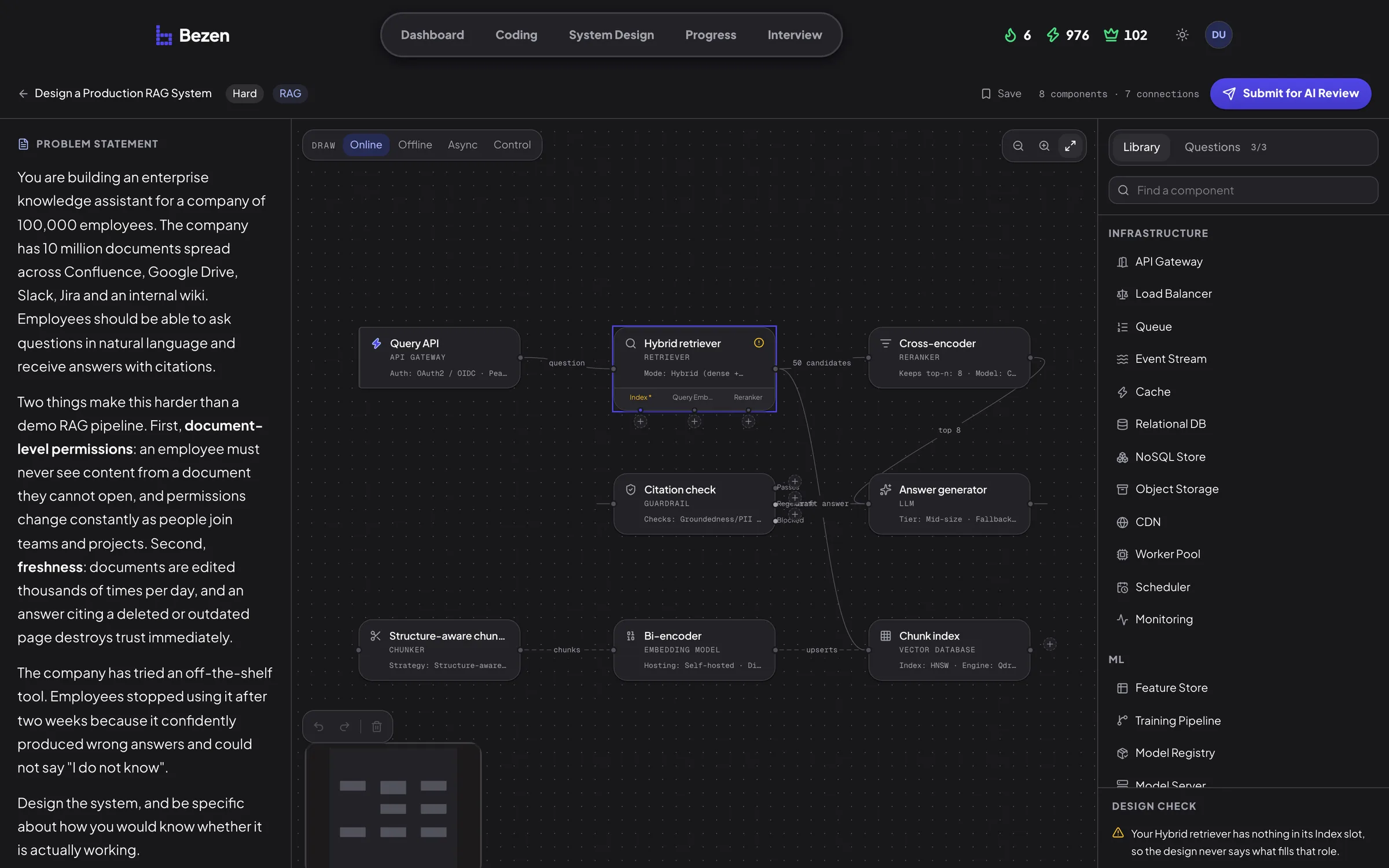
Place components, configure them, connect the data flow and say why. Then answer the questions a diagram cannot.
- ML systems, LLM applications, RAG, agents and multi-agent systems
- Typed configuration: index, metric, dimensions, step limits
- Advisory design checks that name what a credible answer is still missing
System design
Design production ML and LLM systems on a canvas.
Interview
Then sit the round, out loud
Solving a problem alone and being asked about it while you solve it are different skills, and only one of them gets tested in an onsite. So the interviewer here is live: it greets you, reads the question out, lights up the line it is asking about, and follows up on what you actually said.
Write it while they watch, and defend the choices. Follow-ups on complexity, edge cases and what you would change at scale.
Build the architecture on the canvas and argue for it. Retrieval, training, serving, evaluation, and what breaks first.
Rapid-fire across a topic: models, data, training, evaluation. No editor, no canvas, just whether you can explain it.
It speaks, and it listens
The interviewer reads the question out and its reply arrives a word at a time, in step with the voice. Hold S and talk, or type. The transcript is written either way.
It follows the thread
Scoping, main round, deep dive, then your own questions. Phases move on the clock and on what you have actually covered, not on a turn count.
It grades like the rest
A round ends as an ordinary submission: the same rubric, the same dimensions, plus a hire recommendation and the follow-ups you fumbled.
Ask Bezen
Stuck on a concept? Watch it worked out
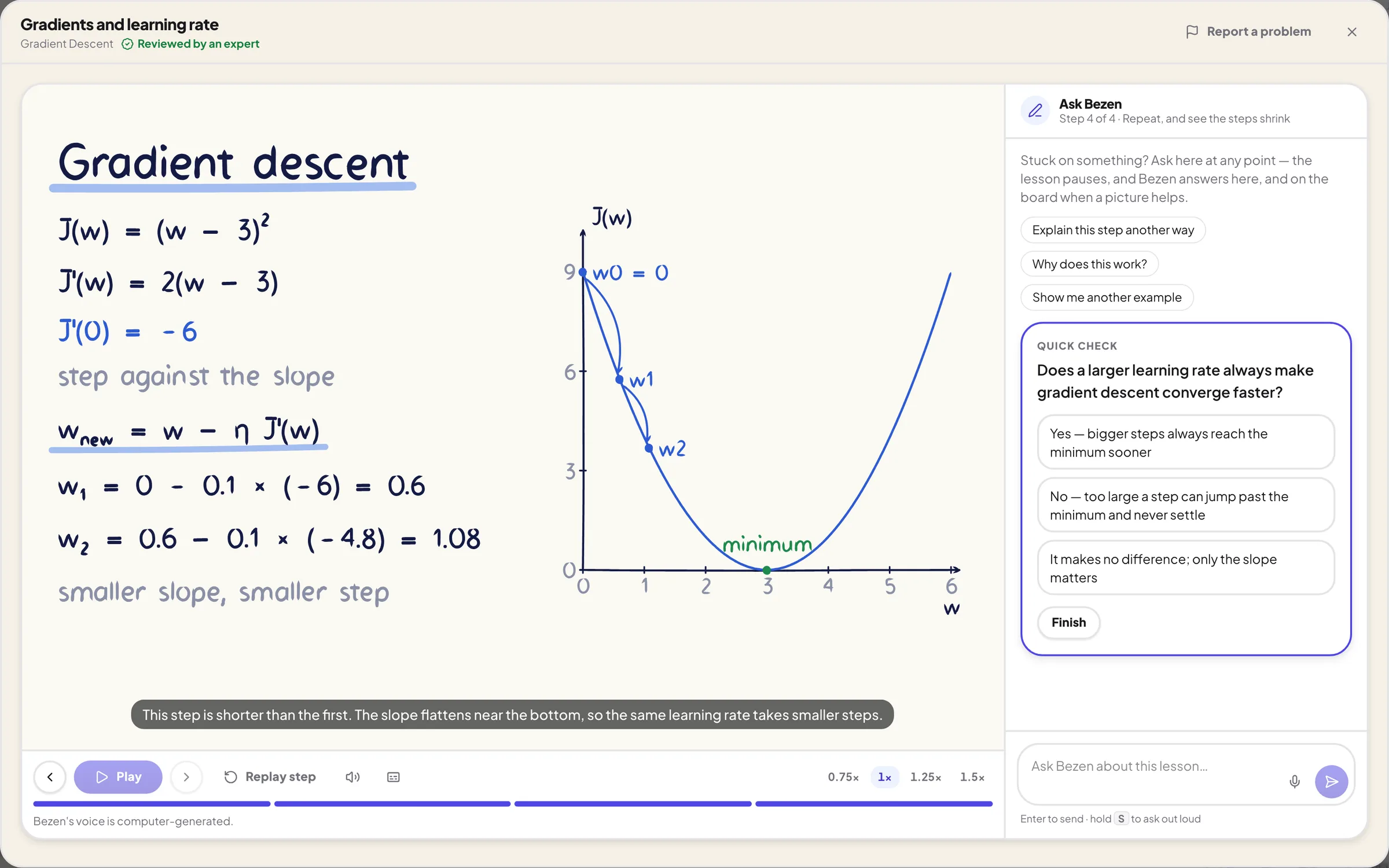
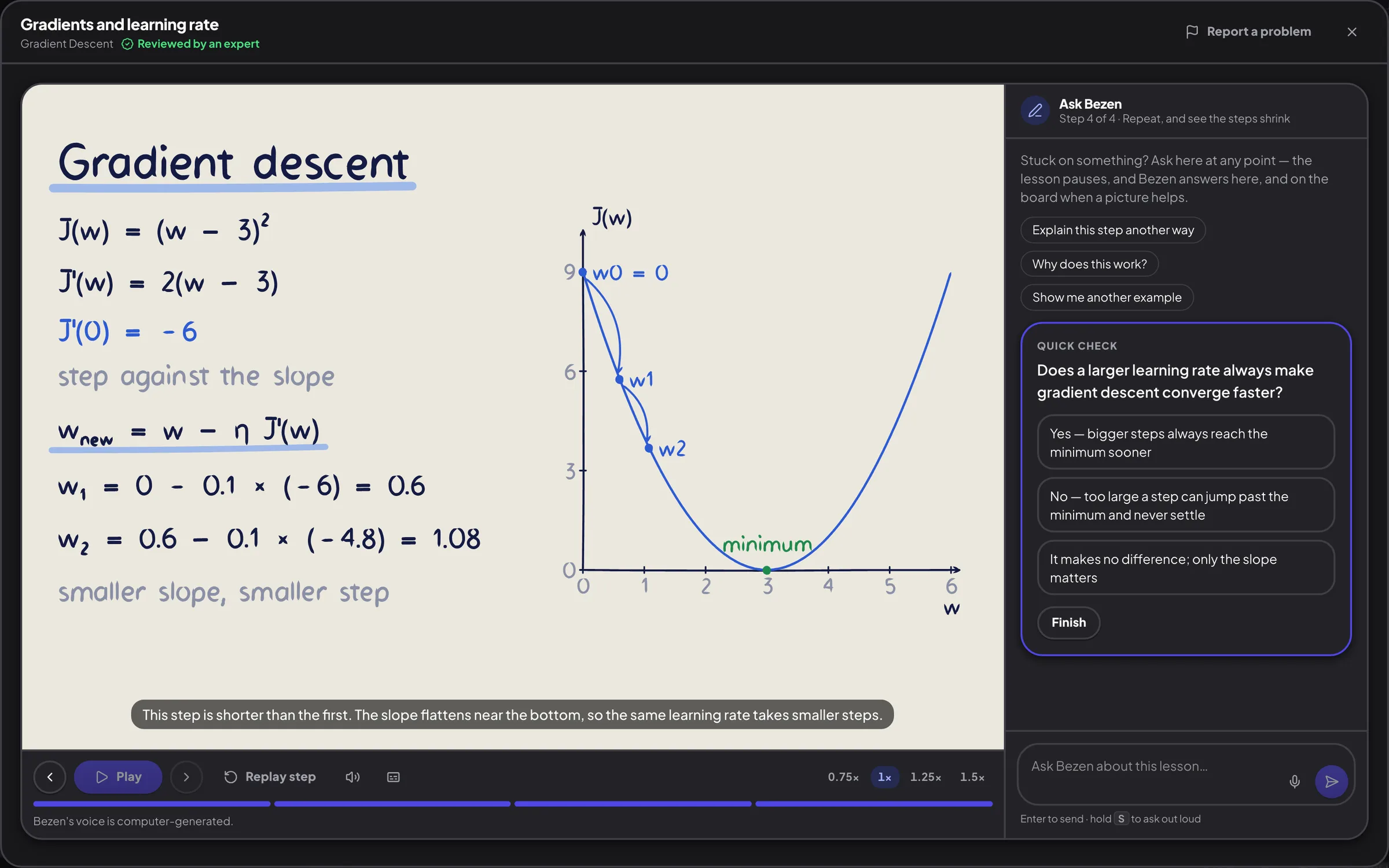
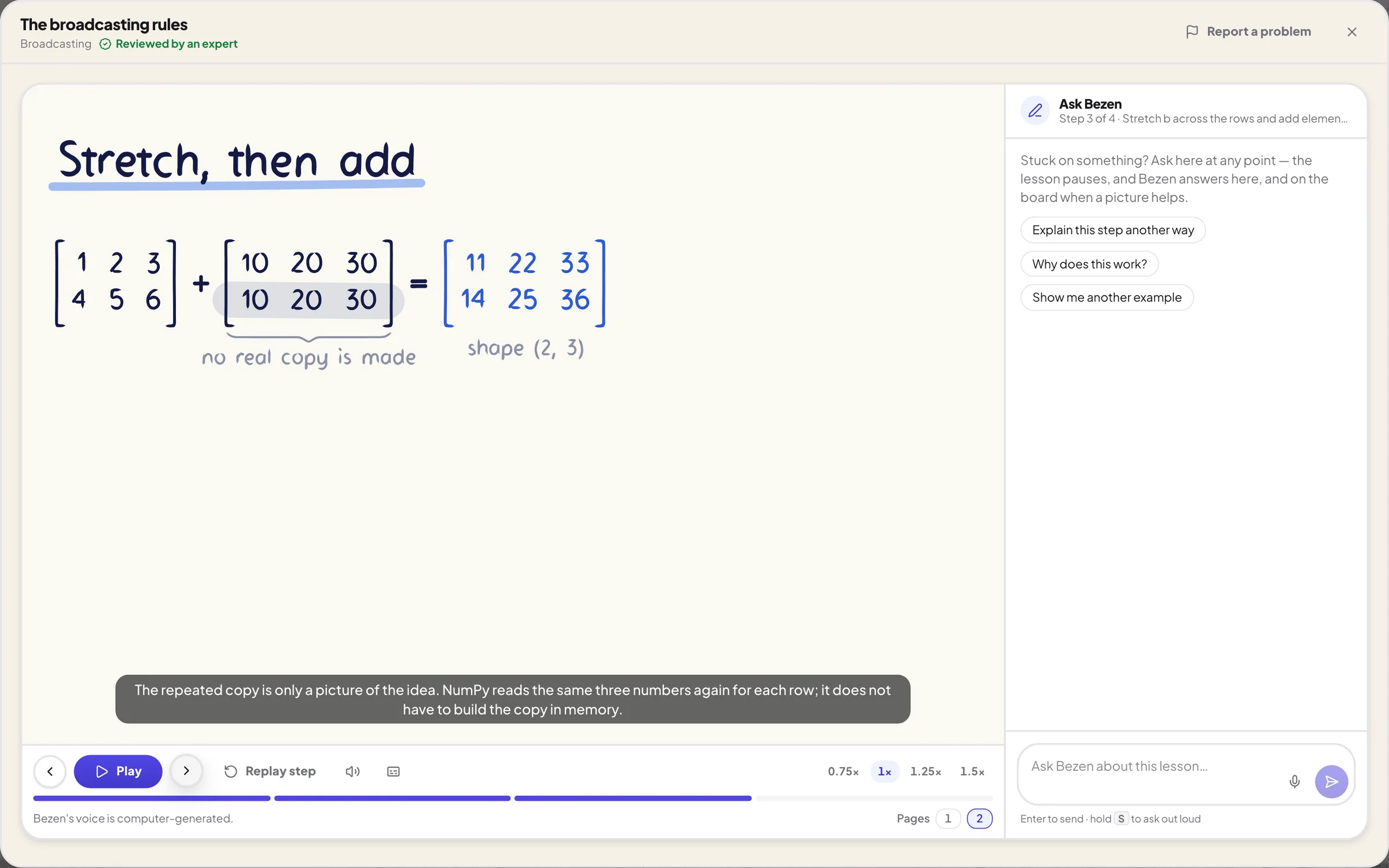
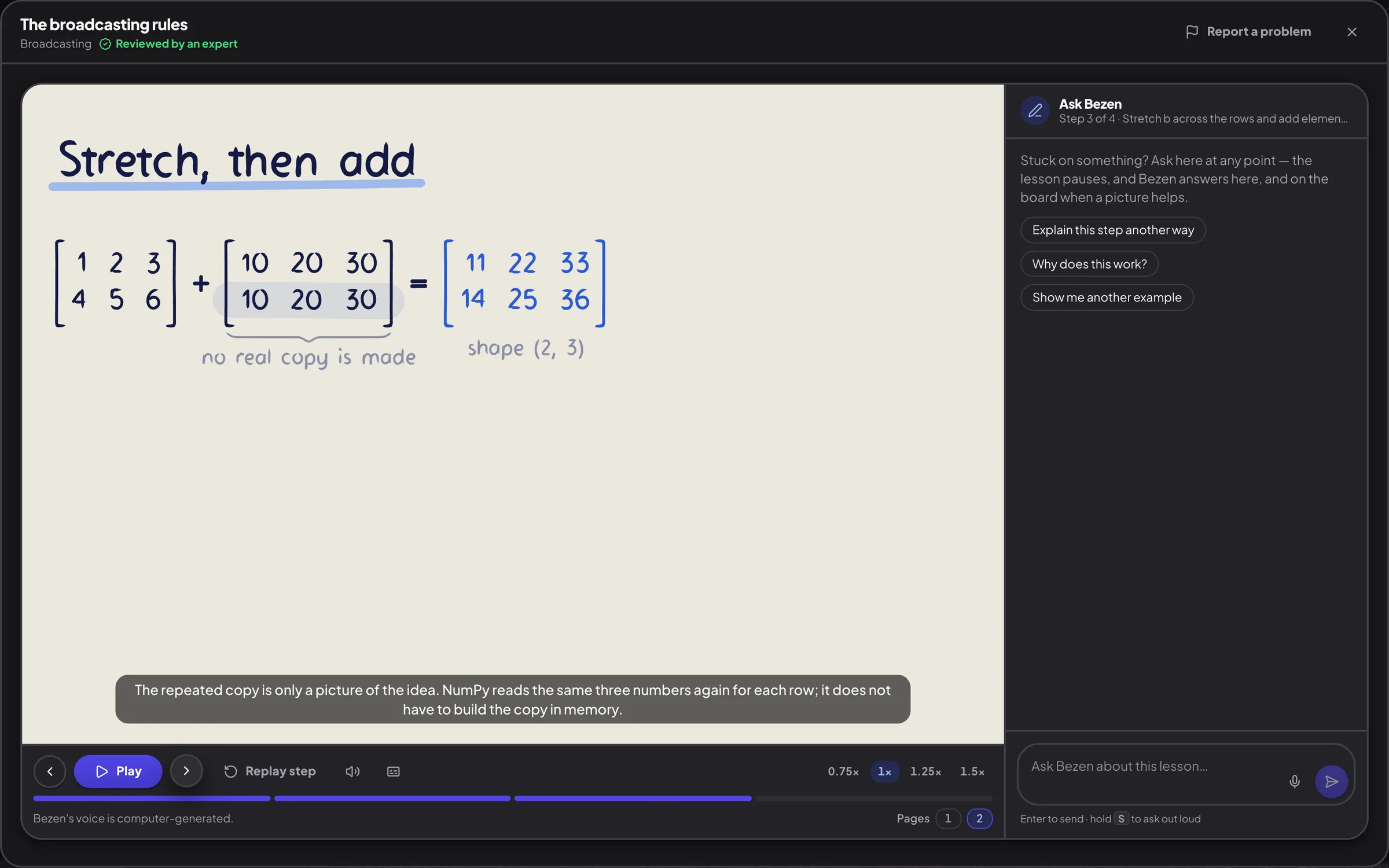
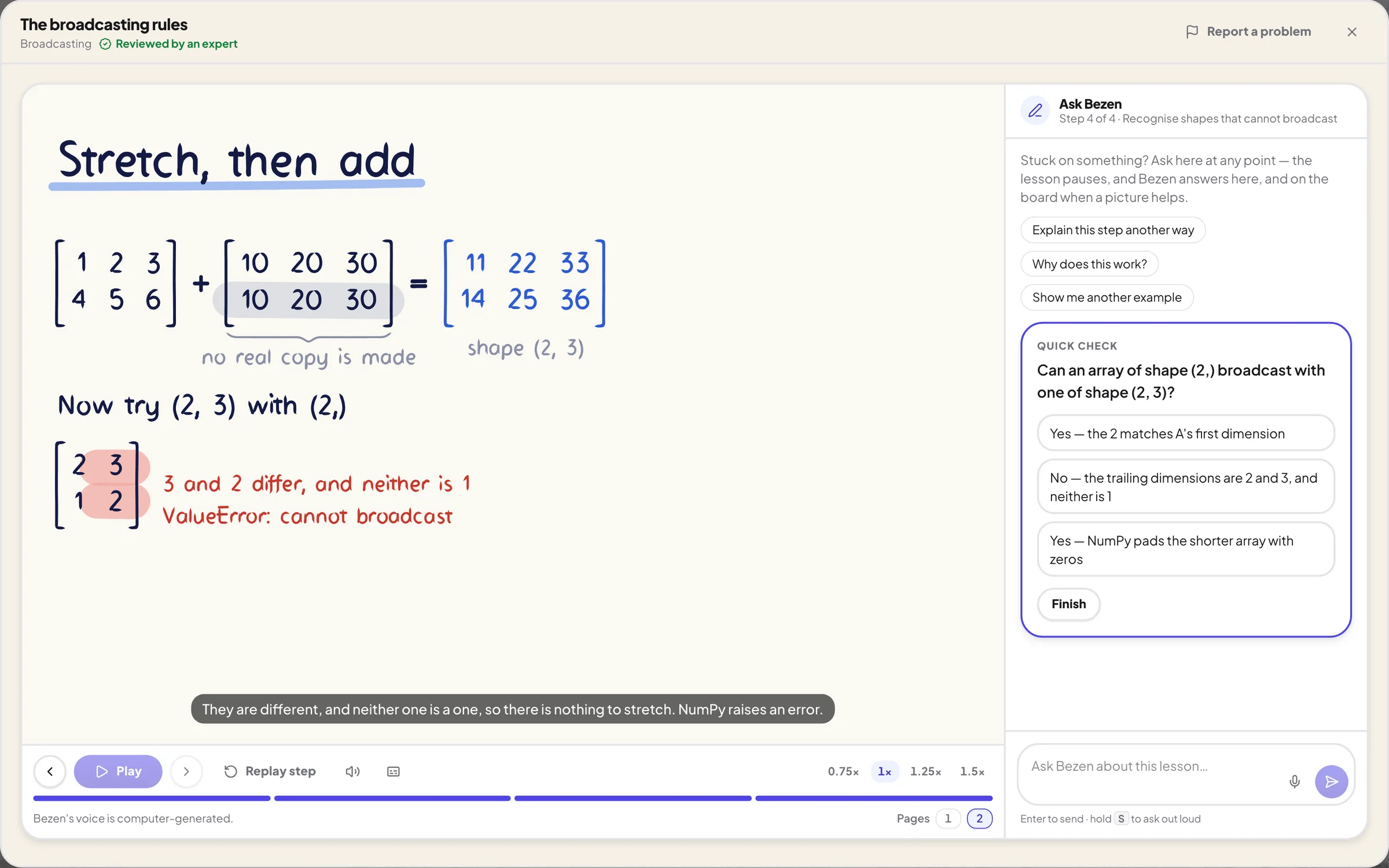
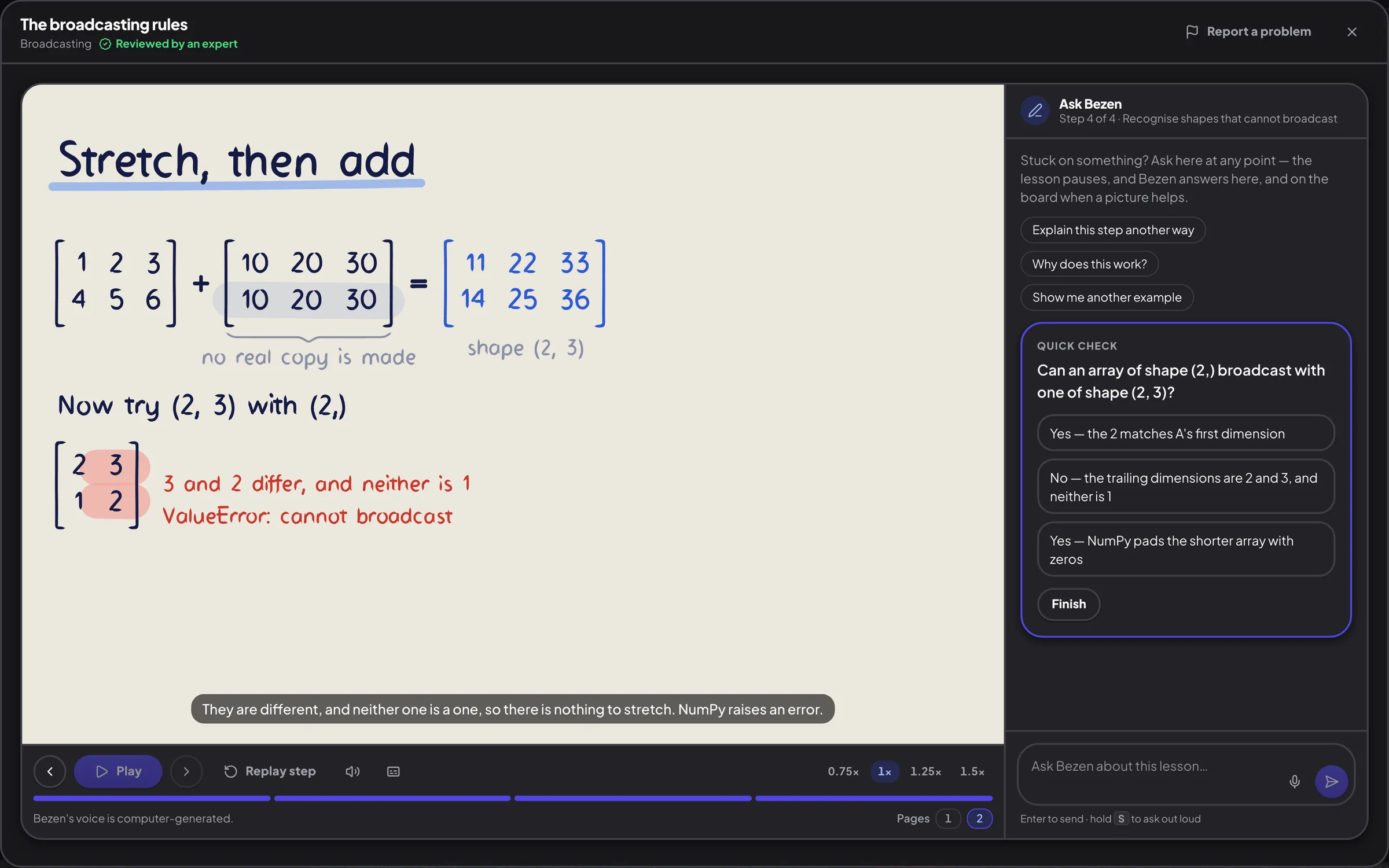
Press Explain visually on a concept in Learn, and Bezen teaches it on a whiteboard: it writes, draws and talks you through it, one step at a time.
- Equations, matrices and graphs written out by hand as they are explained
- Narrated aloud with captions, and you can pause, replay or change the speed
- Ask at any point: the lesson pauses and Bezen answers in words, or on the board
- Every lesson is reviewed by an expert before it reaches you
Worked all the way through
Equations, numbers and graphs, step by step.
Daily papers
Three new research papers a day, properly explained
Each morning, the AI papers engineers are reading most are written up from the full paper, not the abstract: clear enough to follow, and detailed enough to be worth your time.
- How the method works, how it was tested and what was found, with the paper's own numbers
- The paper's real formulas and figures, each one explained
- A flow chart of the method, the limitations, and the terms you need
- Free with a Bezen account. Read the opening of any paper before you sign up
Today’s research reads
Monday, 2 November 2026
- FrameForge adapts video models for diverse conditional image generation with input-adaptive temporal relationsFrameForge leverages pretrained video diffusion models by dynamically selecting temporal positional embeddings and introducing a latent reasoning state, achieving superior results on subject-driven generation, canny-to-image generation, and image editing benchmarks.7 min read
- R²Orch improves agent orchestration via nested self-play and skill withdrawalR²Orch introduces a recursive self-play framework with an inner loop improving an orchestrator on self-chosen tasks and an outer loop withdrawing unhelpful skills, achieving state-of-the-art results on 12 diverse benchmarks with zero-skill deployment.6 min read
- Co-designing a lightweight predictor with a costly executor improves interaction efficiency toward AGIThis paper proposes a conditional interaction loop where a cheap System-1 predicts the utility of candidate interactions, gating which costly System-2 executions occur, improving compute efficiency by up to the inverse density of useful interactions, and formalizes this as a scaling coordinate.6 min read
Progress
A career ladder, not a completion bar
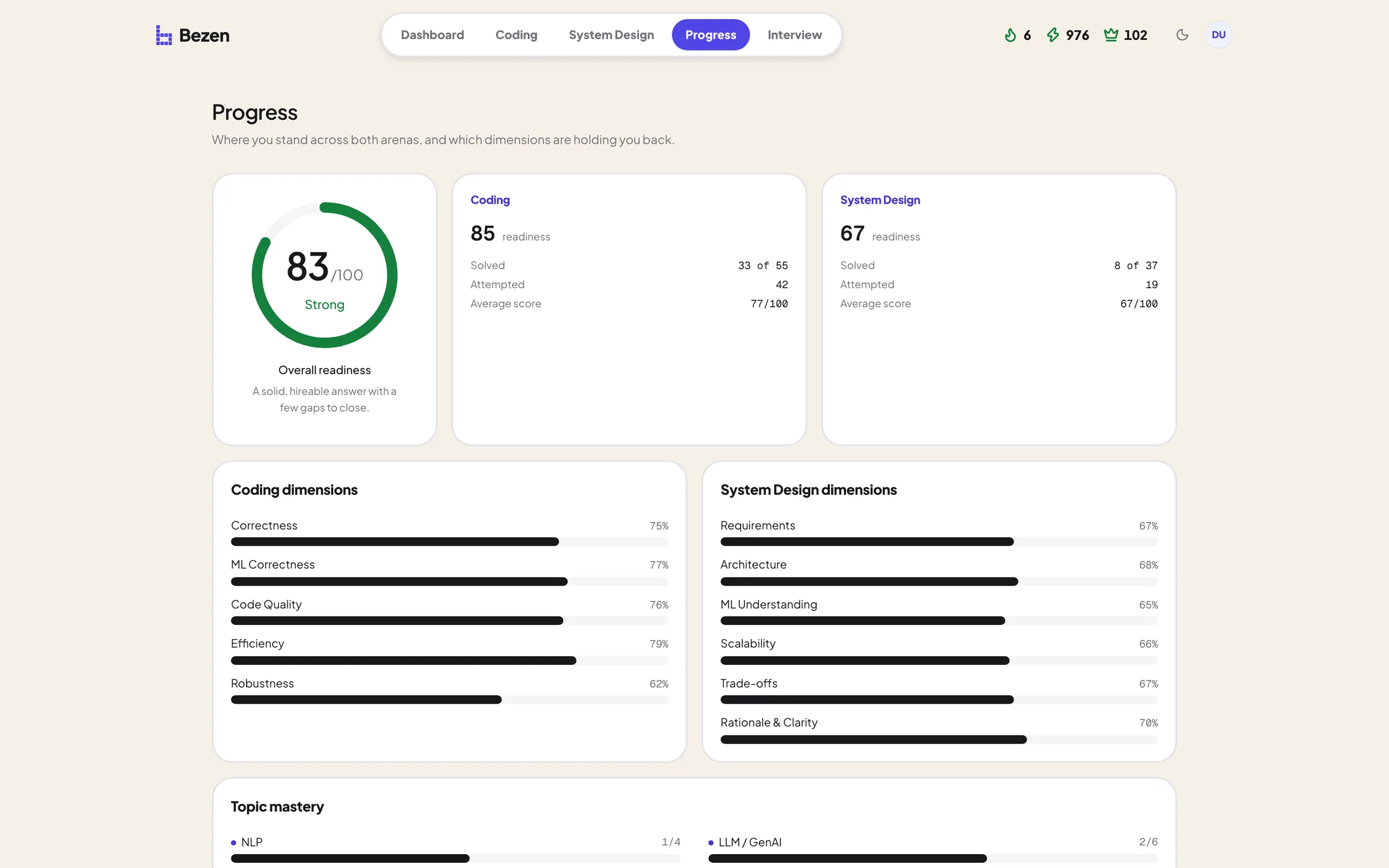
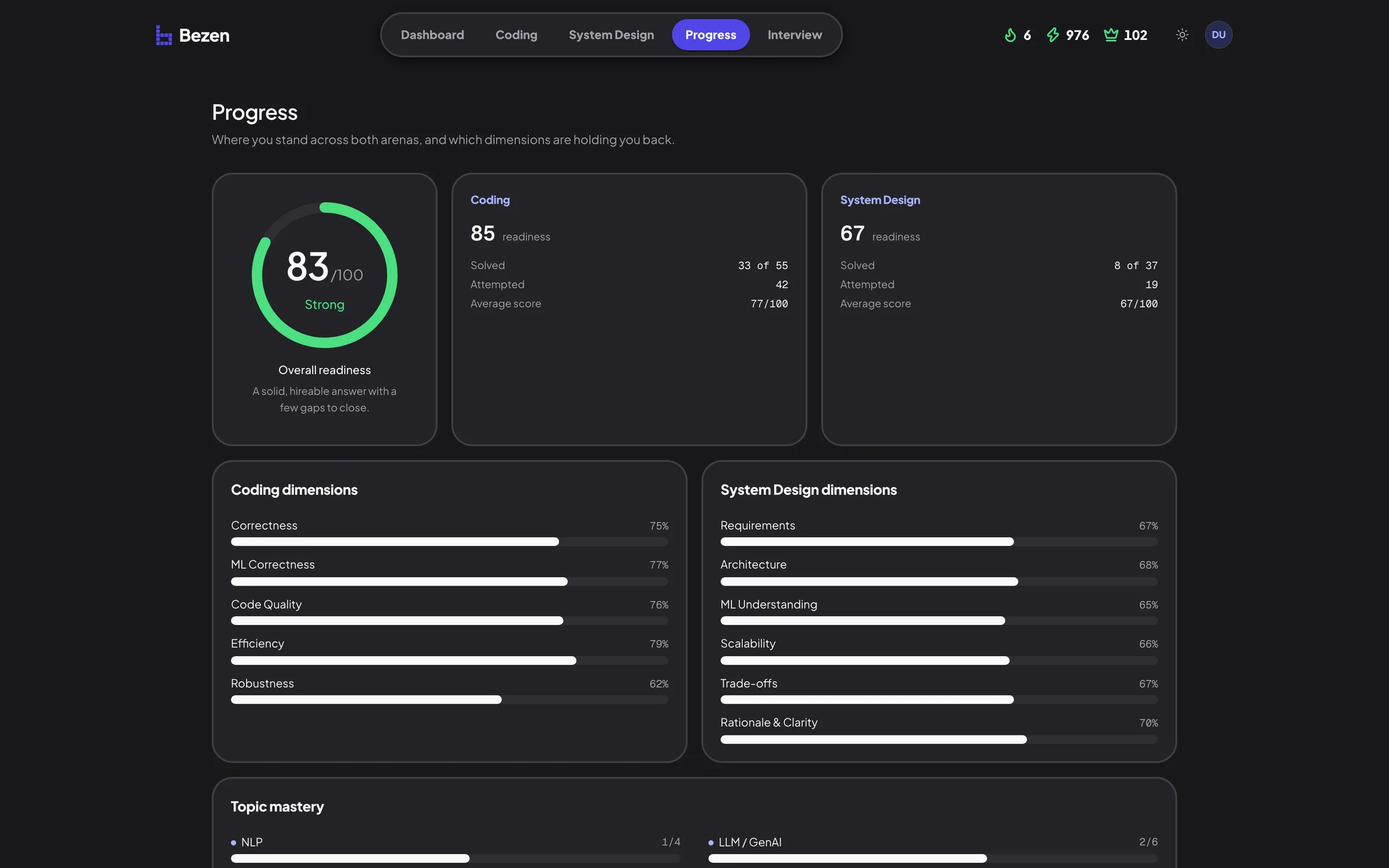
XP, crowns and a level derived from your own graded attempts, plus the dimension that is quietly holding you back.
- XP and a level from Intern to Distinguished, earned from difficulty and best score
- Three crowns per problem, and a roadmap per track so there is always a next one
- Separate readiness for coding and system design, broken down to the dimension
- Nothing is stored: every number is a view of your scores, so it cannot drift from the work
Progress
See which dimensions are holding you back, arena by arena.
Realistic Problems
Problems built from real AI engineering scenarios: scale numbers, cost budgets, messy data and the constraints that make the decisions hard.
AI Evaluation
Structured feedback on your method, your architecture and your trade-offs, scored against a rubric written for that specific problem.
Measured Progress
Readiness per arena and per topic, derived from your own graded attempts, including the dimensions that are quietly holding you back.
Pricing
Practice for free. Go Pro when the onsite is close.
Start with 46 free problems, 3 mock interviews and 3 whiteboard lessons. Upgrade for the whole library, unlimited interviews, the whiteboard tutor and one-on-one mentorship.
Free
Everything you need to start practicing.
0 US dollarsforever
Start for free- 46 of the 118 problems: every Easy, plus one Medium per topic
- AI grading against a per-problem rubric
- Python run in your browser against real tests
- The system design canvas with design checks
- 3 AI mock interviews, on the free problems
- 3 whiteboard tutor lessons
- The Learn syllabus and progress tracking
- Daily research papers, explained
Pro
Most popularFor the weeks before an onsite.
16.58 US dollarsa month, billed $199 yearly
Get Pro- Everything in Free
- All 118 problems in coding and system design
- Unlimited AI mock interviews, on any problem
- The whiteboard tutor: every lesson, with questions as you go
- One-on-one mentorship: two 30-minute sessions a month
Frequently asked questions
What Bezen is, how the grading works, and what happens to your code.
An interview practice platform for AI and ML engineers. You learn the concepts, with a whiteboard tutor when one will not click, write real Python against real tests, design production ML, LLM and agentic systems on a canvas, and sit mock interviews that talk, listen and push back, each graded against a rubric written for that specific problem.
Engineers preparing for AI/ML engineering, applied ML and LLM engineering interviews, from people learning NumPy and Pandas properly for the first time through to senior engineers rehearsing system design rounds.
Yes. Every coding track opens with easy problems that each cover one idea, and the Learn tab explains the concepts behind them before you practice. Start with NumPy or Pandas, then move up in difficulty as it clicks.
There is a free plan with 46 of the 118 problems, the grading, 3 AI interviews, 3 whiteboard lessons, the Learn syllabus and the Daily papers, and no card is needed to sign up. Pro is $29 a month or $199 a year, and adds the whole library, unlimited AI interviews, the whiteboard tutor and one-on-one mentorship.
One problem today. A round when you are ready.
118 problems, a live interviewer, a whiteboard tutor, and a readiness score built from your own graded attempts.